Payment Setup Guide
Complete your payment setup to receive earnings from your HeyDoc consultations. This guide walks you through the Stripe onboarding process step by step.
Before you begin
To receive payouts for your consultations, you must complete this Stripe onboarding process. Until you have finished this setup, we will not be able to transfer your earnings to you.
You will need: your ABN, BSB and account number, and a valid form of ID for verification.
Make sure you're logged in to your HeyDoc account before starting. Log in to HeyDoc →
Navigate to Payment Setup
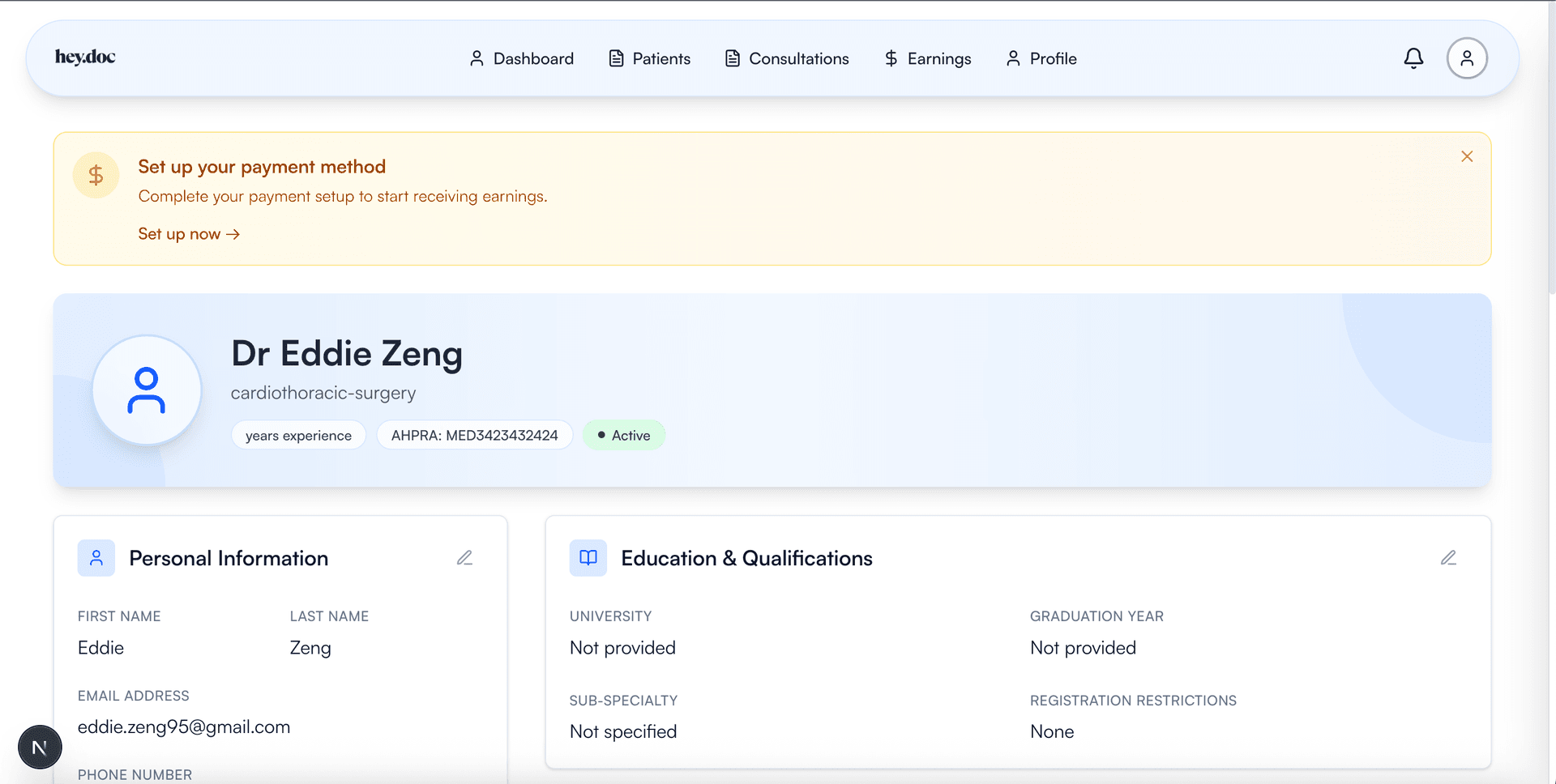
From your HeyDoc dashboard, you'll see a banner prompting you to set up your payment method. Click 'Set up now' or navigate to the 'Earnings' tab in the navigation menu.
Start Stripe Onboarding
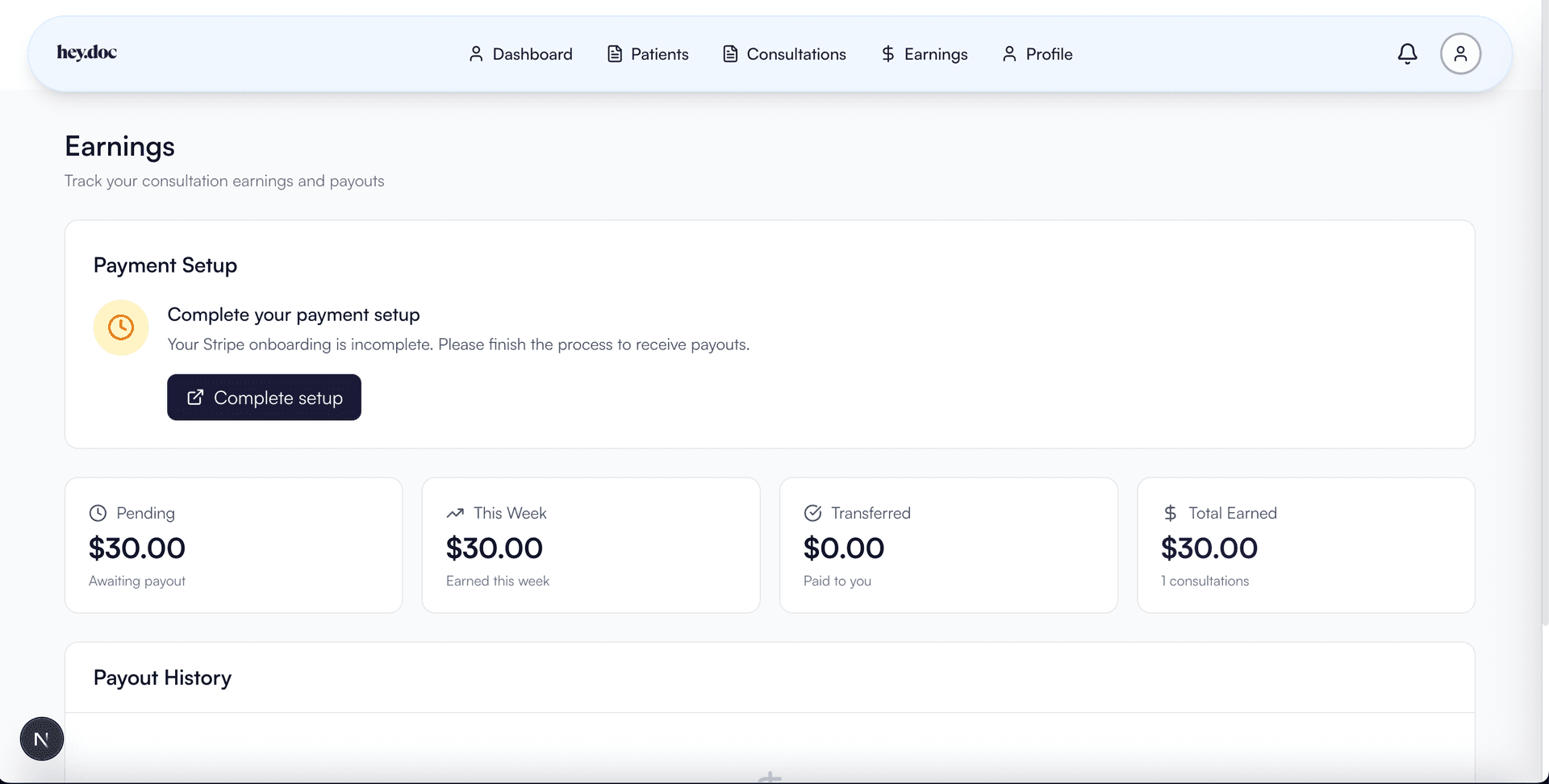
On the Earnings page, click the 'Complete setup' button. This will redirect you to Stripe's secure onboarding portal where you'll enter your payment details.
Verify Your Contact Details
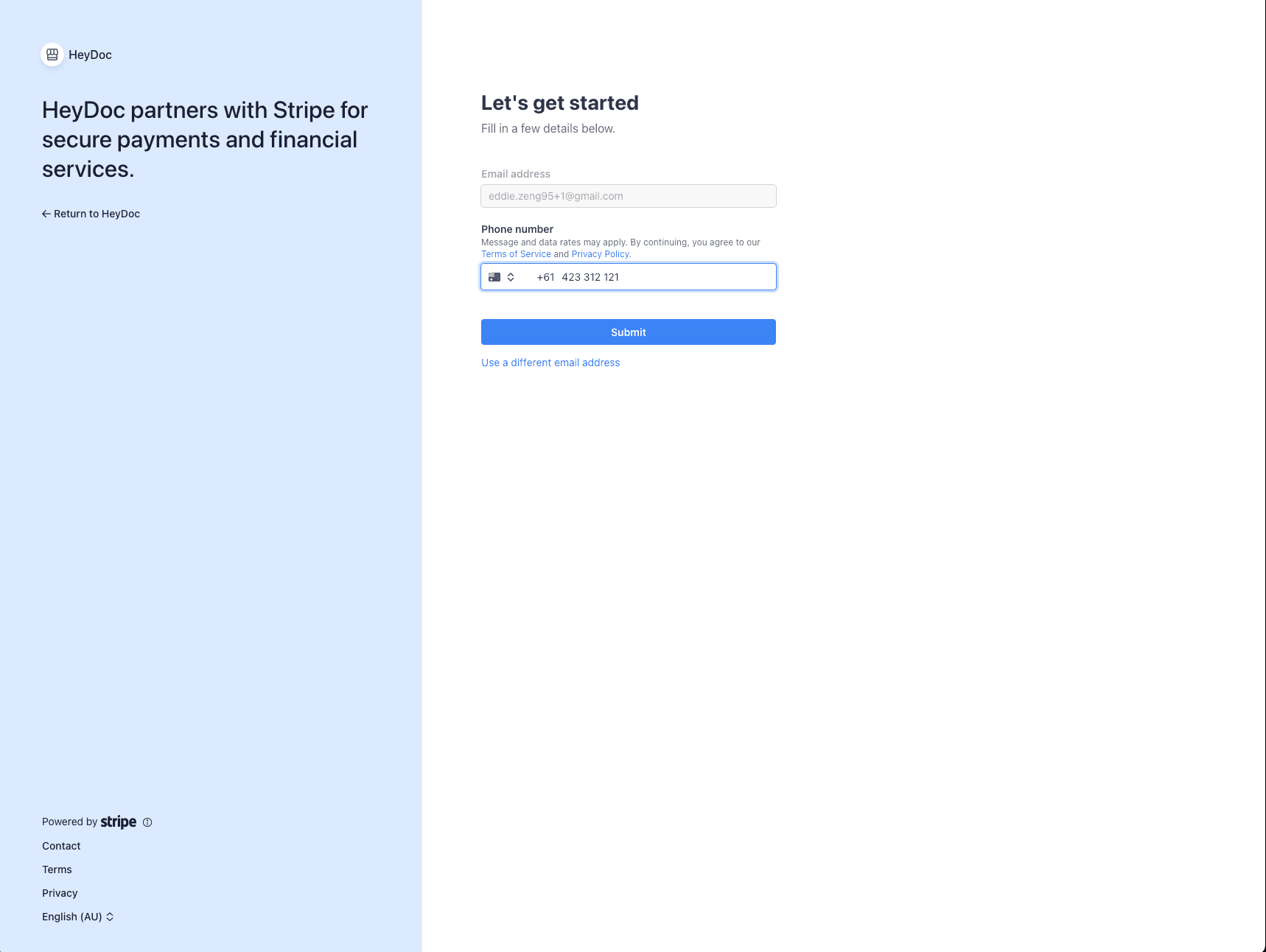
Enter your email address and phone number. Stripe uses this to verify your identity and send important notifications about your account.
Enter Personal Information
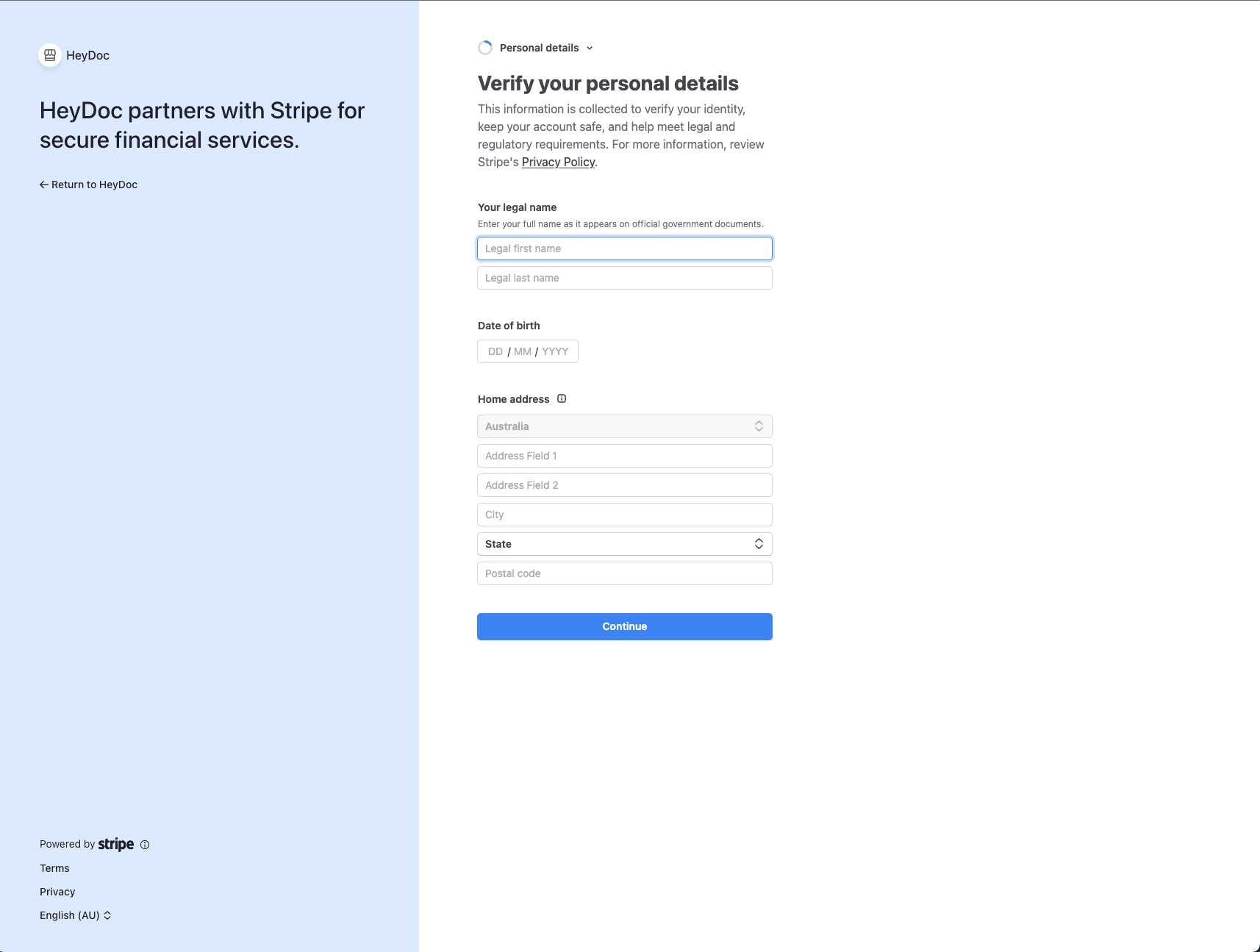
Provide your legal name exactly as it appears on your government-issued ID, your date of birth, and your residential address. This information is required for identity verification and tax compliance.
Add Business Details
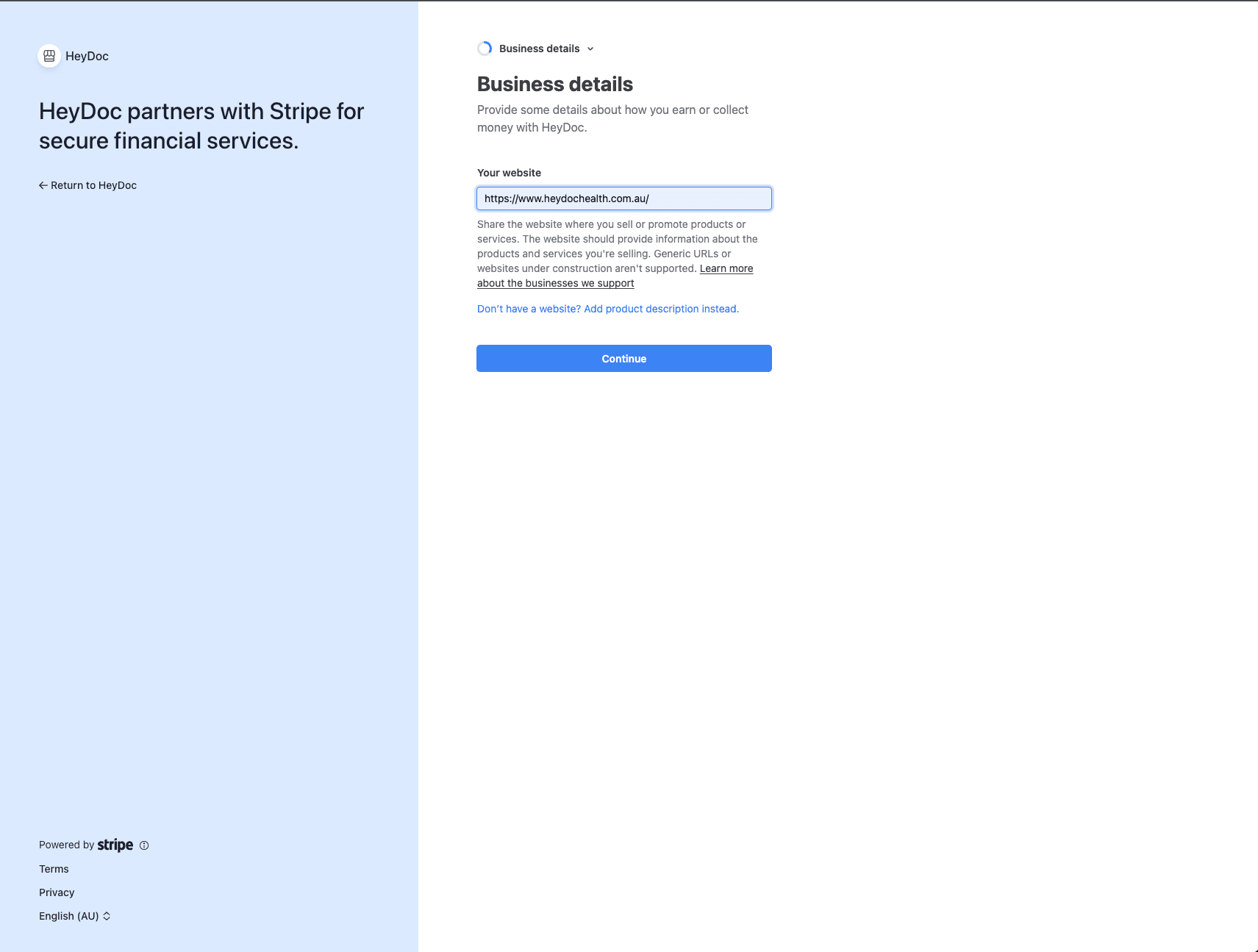
When asked for your website, enter https://www.heydochealth.com.au/ — this tells Stripe you provide services through the HeyDoc platform. This is used for verification purposes only.
Link Your Bank Account
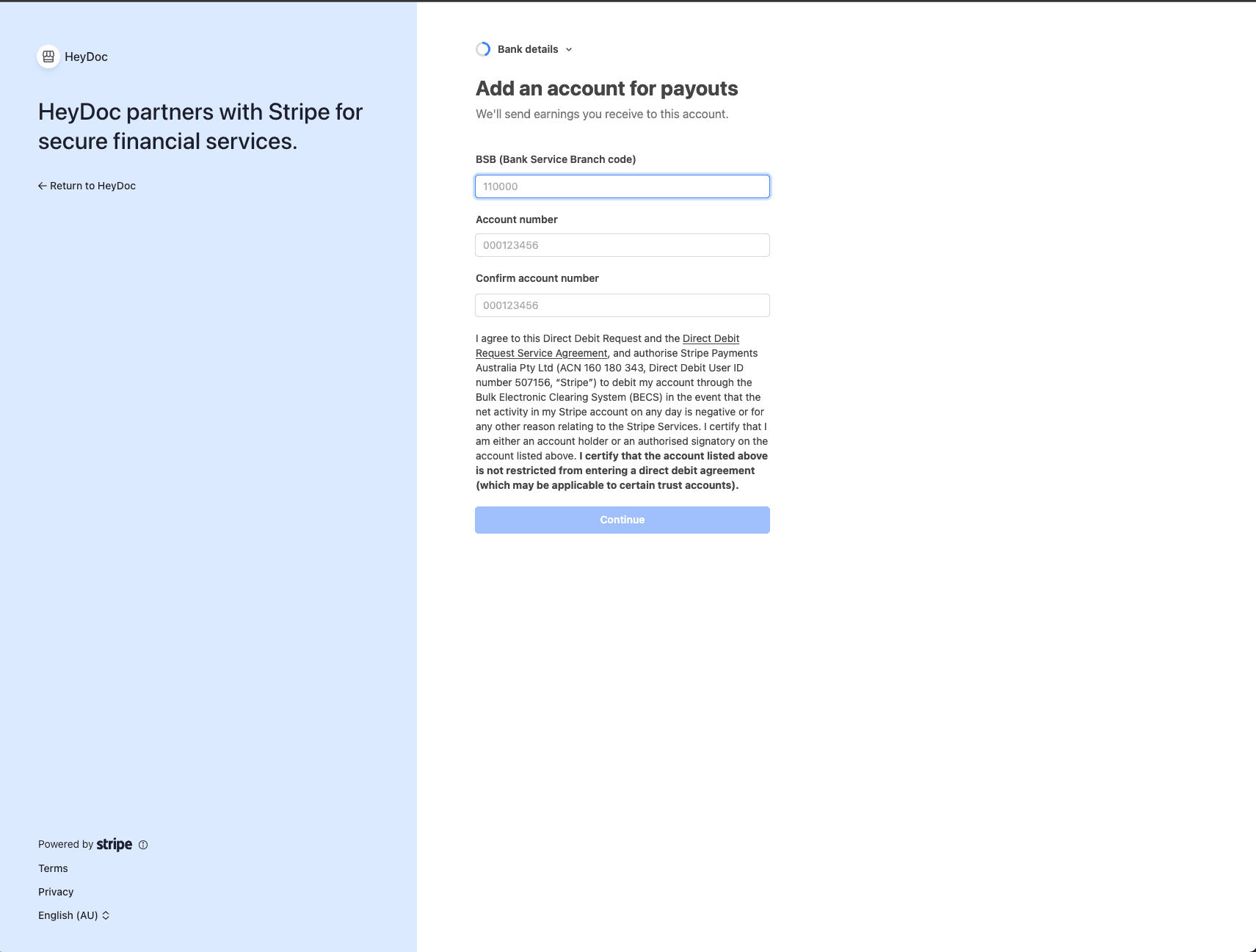
Enter your BSB (Bank State Branch) code and account number. This is the bank account where your consultation earnings will be deposited. Double-check these details are correct.
Declare Your ABN
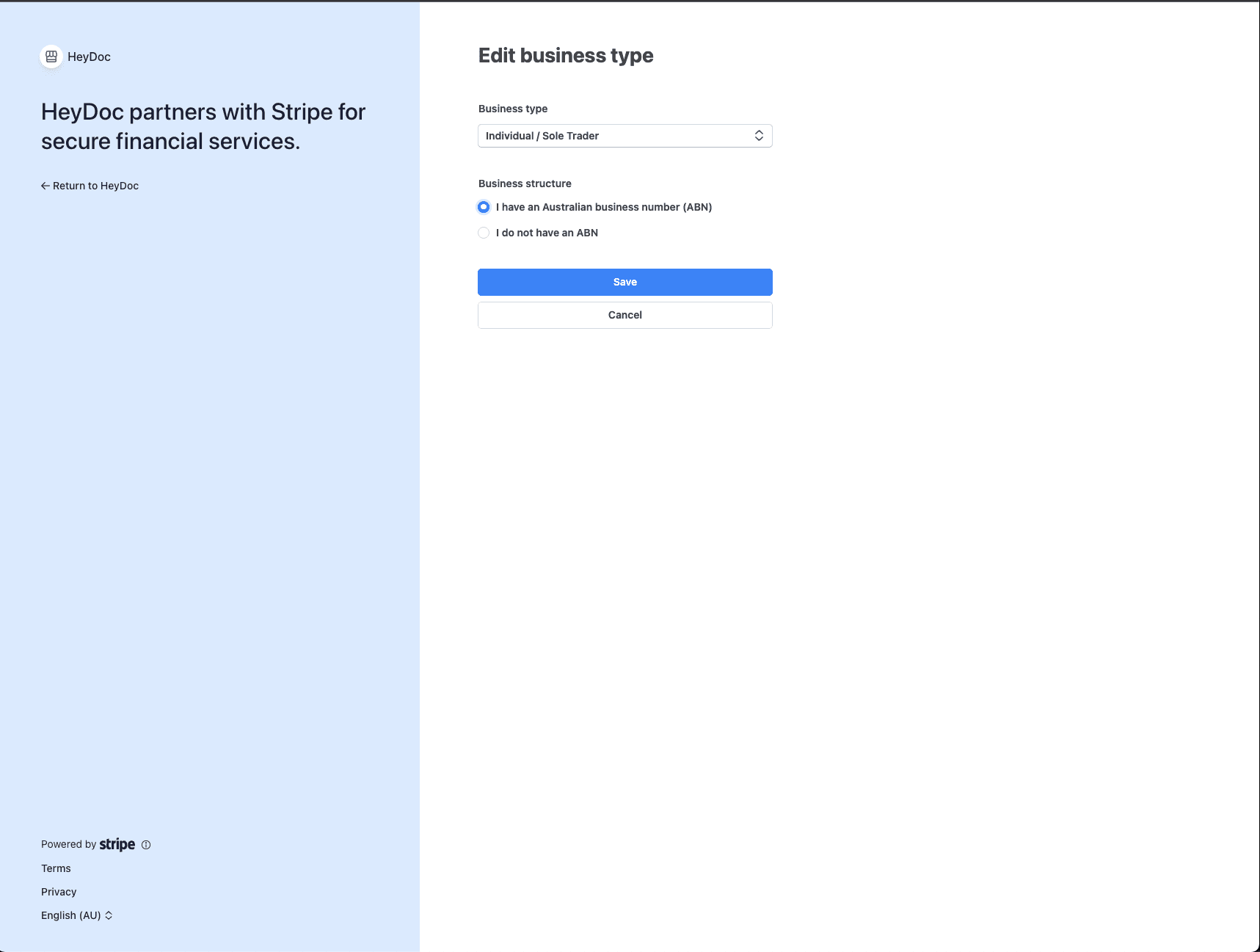
Select 'Individual / Sole Trader' as your business type and confirm that you have an Australian Business Number (ABN). If you don't have an ABN, you'll need to register for one with the ATO before proceeding.
Review and Confirm
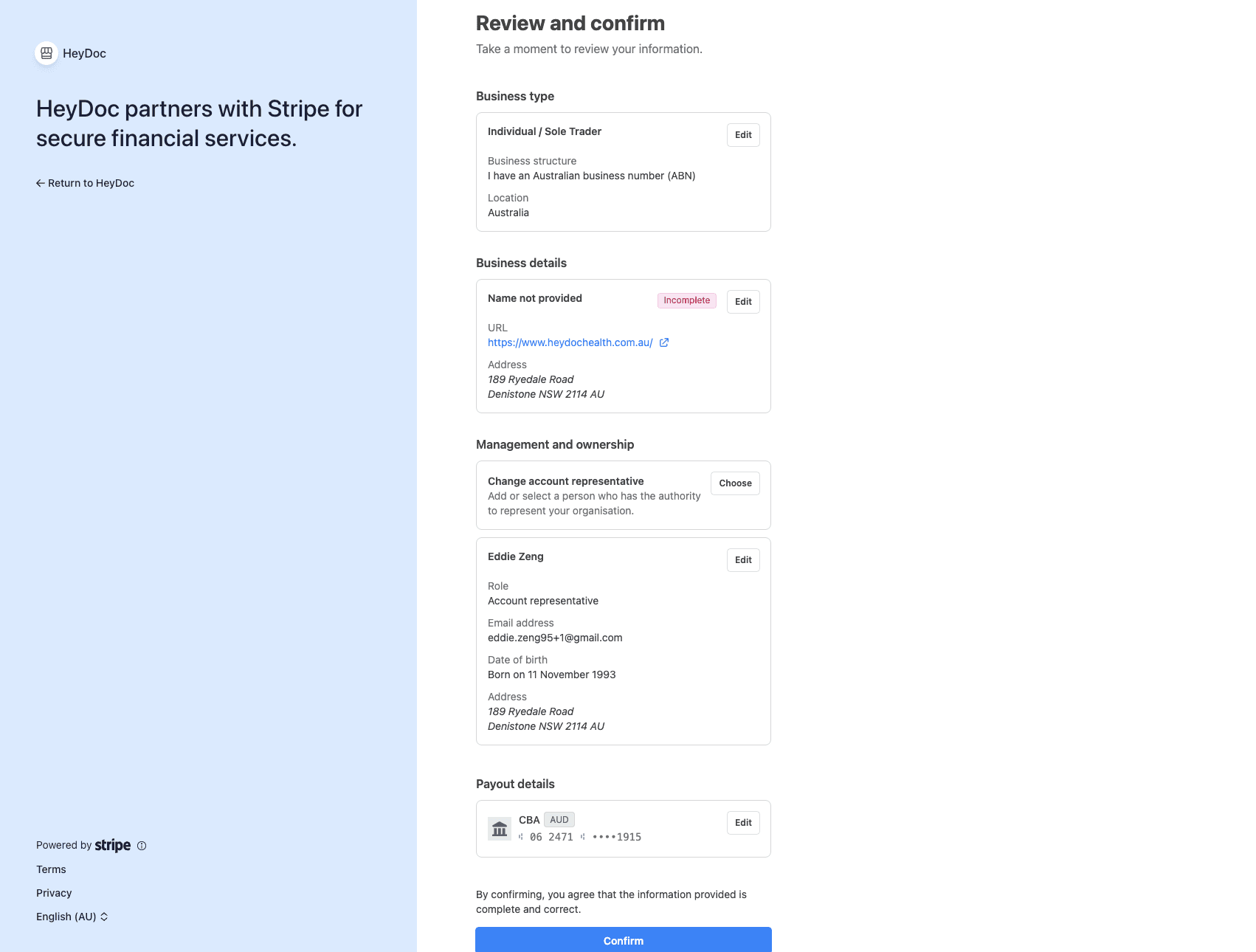
Review all the information you've entered. Check that your business details, personal information, and bank account are all correct. Click 'Confirm' to complete the onboarding process.
Setup Complete
You'll be redirected back to HeyDoc where you'll see a confirmation that your payment method is connected. Your bank account is now linked and ready to receive payouts.
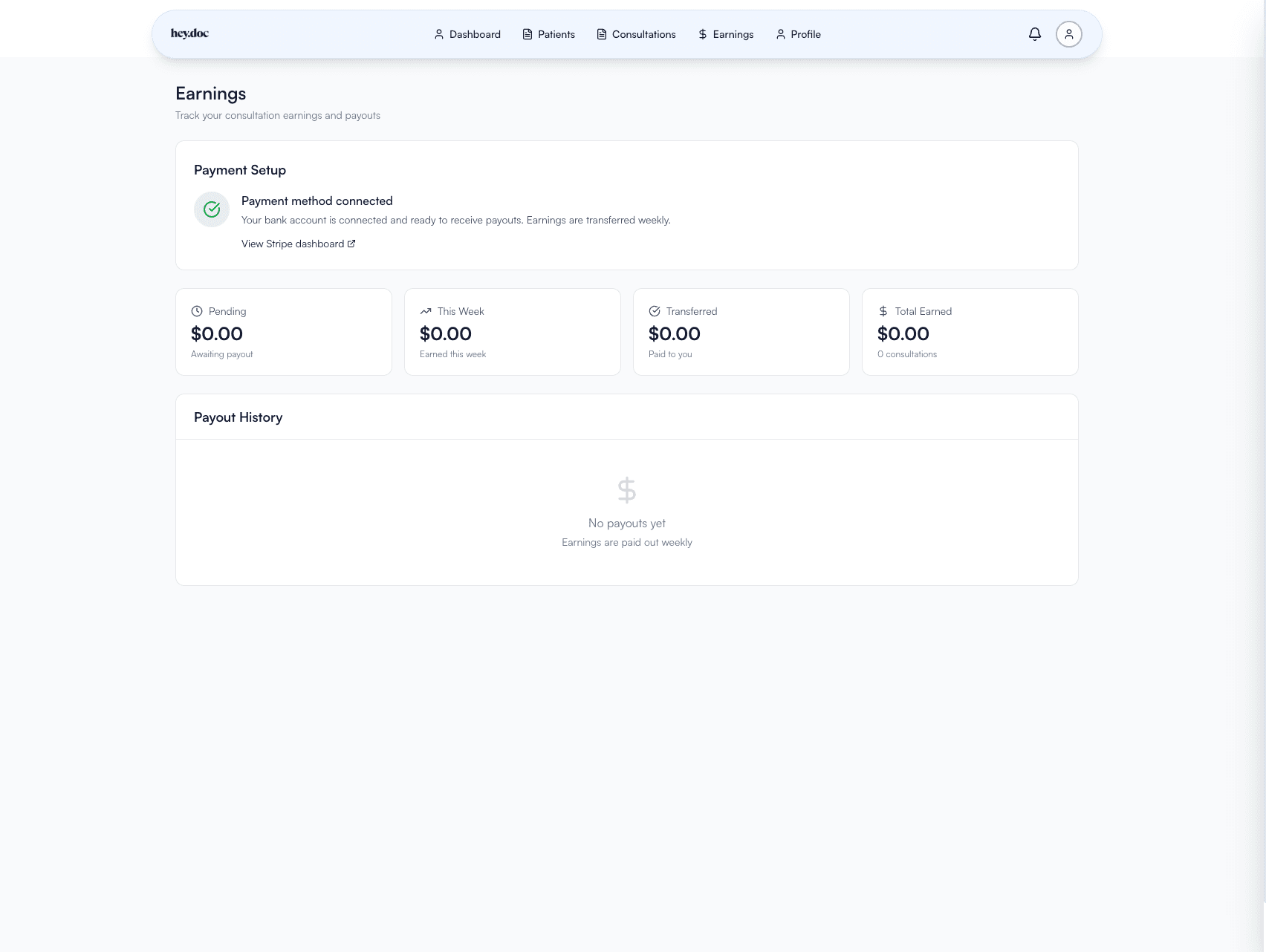
Complete Stripe Verification Tasks
Click "View Stripe dashboard" to access your Stripe Express account. You may have additional tasks to complete, such as updating your business information and confirming your email address. Complete these tasks to ensure uninterrupted payouts.
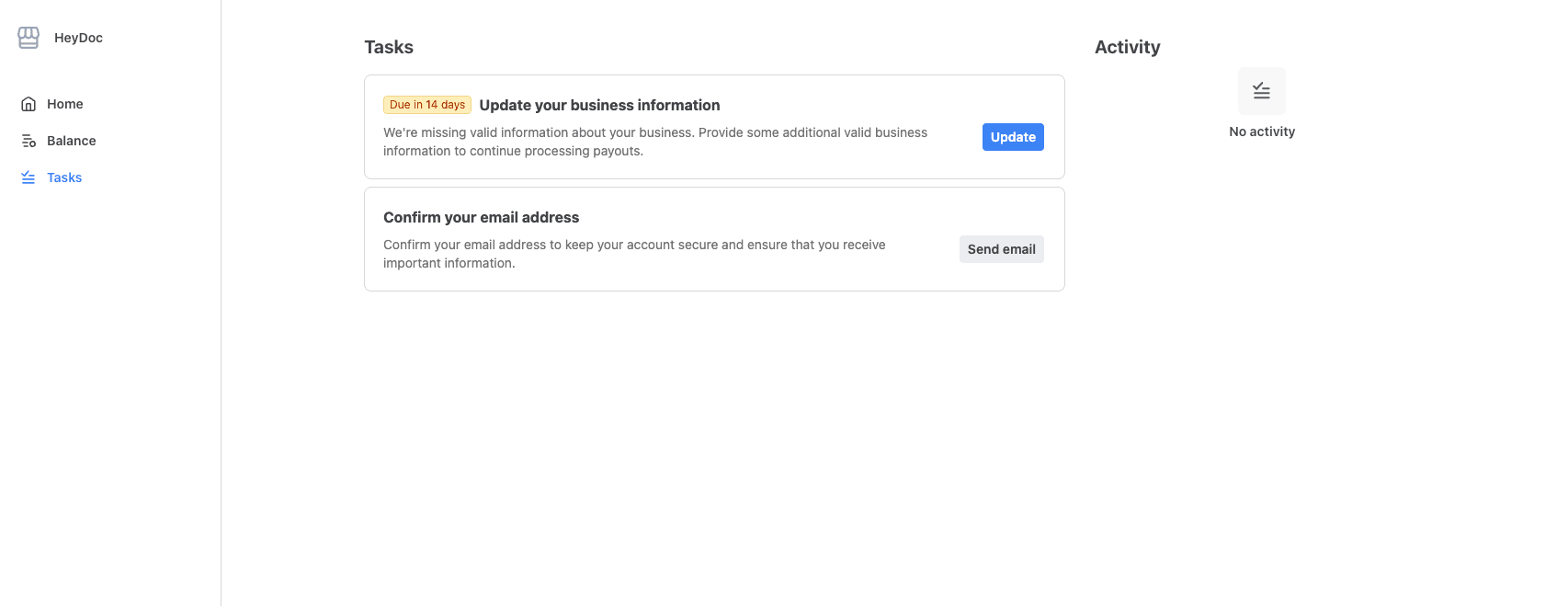
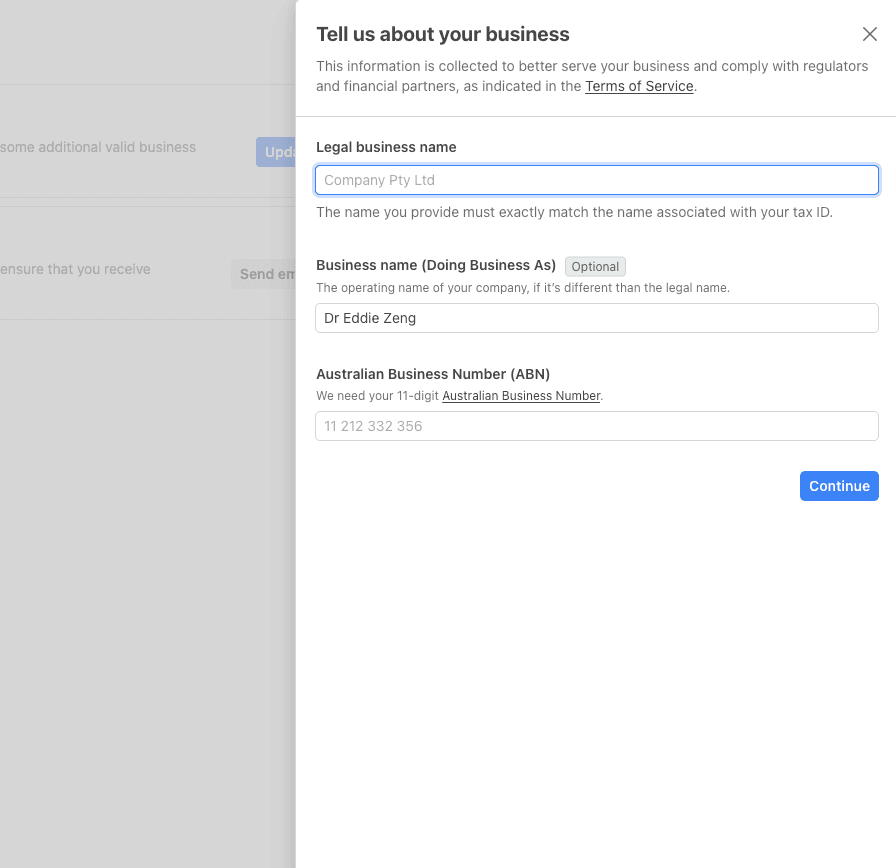
You're all set!
Once you've completed all the steps above, you're ready to receive payouts from HeyDoc. Earnings from your consultations will be transferred to your linked bank account on a weekly basis.
Frequently Asked Questions
Everything you need to know about receiving payouts from HeyDoc
Earnings are paid out weekly. Once a payout is initiated, it typically takes 2-3 business days to arrive in your bank account.
You'll need to register for an ABN with the Australian Taxation Office (ATO) before you can complete payment setup. You can apply online at abr.gov.au.
Yes, you can update your bank details at any time through your Stripe dashboard. Click "View Stripe dashboard" from the Earnings page to access your account settings.
Yes. Stripe is a PCI Level 1 certified payment processor—the highest level of security certification. Your financial information is encrypted and stored securely.
If a payout fails (e.g., due to incorrect bank details), you'll be notified via email. You can update your bank details in your Stripe dashboard, and the payout will be retried automatically.
HeyDoc does not charge any fees for processing your payouts. The amount you see in your earnings is the amount you receive.
Need help?
If you encounter any issues during the setup process, please contact our support team at support@heydochealth.com.au