
Welcome to the HeyDoc team! As part of your onboarding, you are required to obtain a unique Medicare provider number for your work with our platform. In Australia, doctors must have a separate provider number for each location or practice they work at, including telehealth services.
Follow this step-by-step guide to apply for your new provider number through the Provider Digital Access (PRODA) and Health Professional Online Services (HPOS) systems.
Prerequisites
Before you begin, ensure you have:
- An active PRODA account
- Your existing PBS prescriber number (if applicable)
Don't have a PRODA account? Register here →
HeyDoc Business Details
You will need these details during the application process:
Business Name
HeyDoc
ACN
674 813 504
ABN
30 674 813 504
Practice Address
3 Paternoster Row, Pyrmont NSW 2009
Practice Email
admin@heydochealth.com.au
Step-by-Step Application Instructions
Follow these steps under the Services Australia portal to register your new location:
Access the Portal
- • Log in to PRODA: Enter your username, password, and the one-time verification code
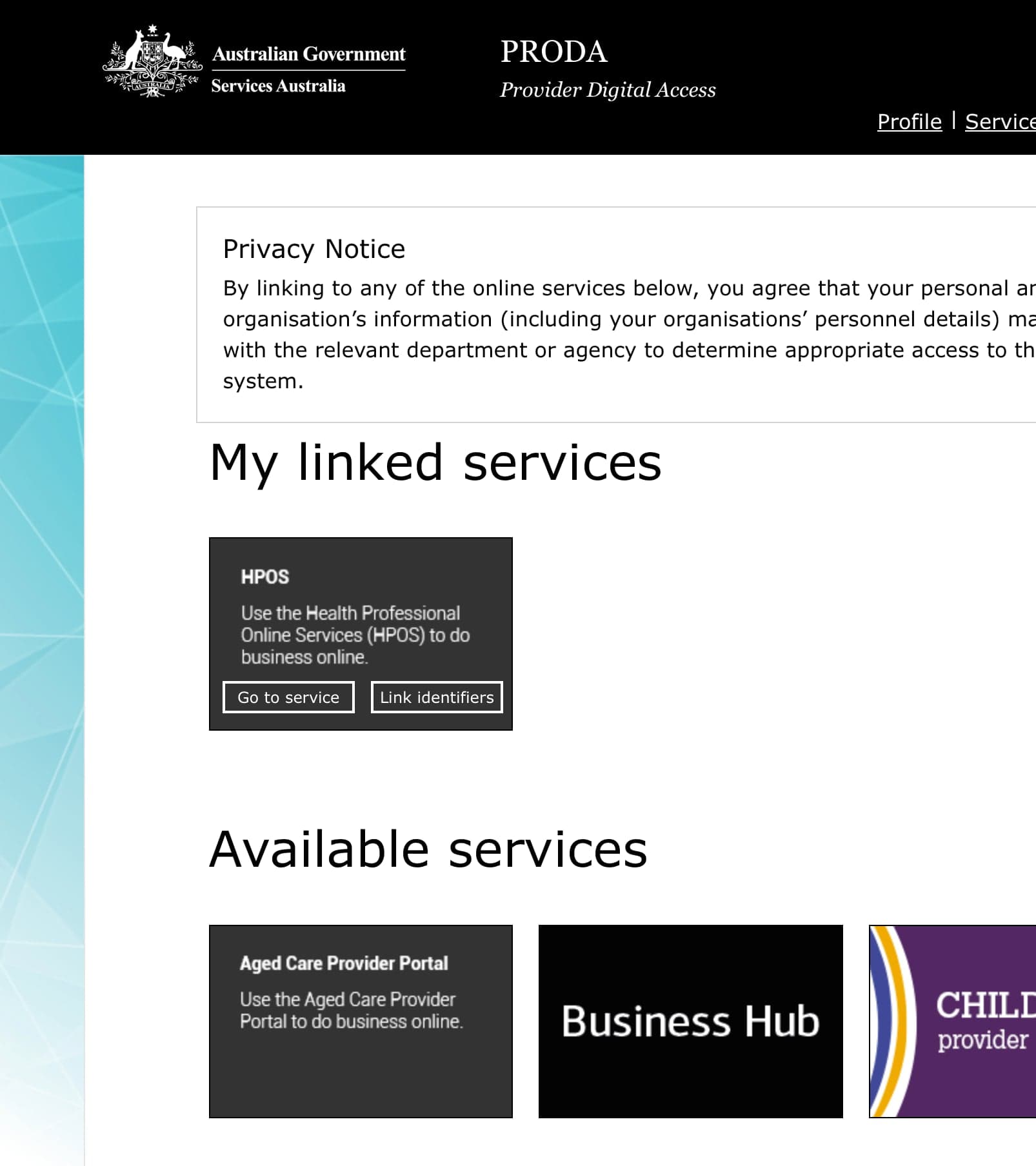
- • Select HPOS: From the linked services dashboard, and select HPOS (Health Professionals Online Services)
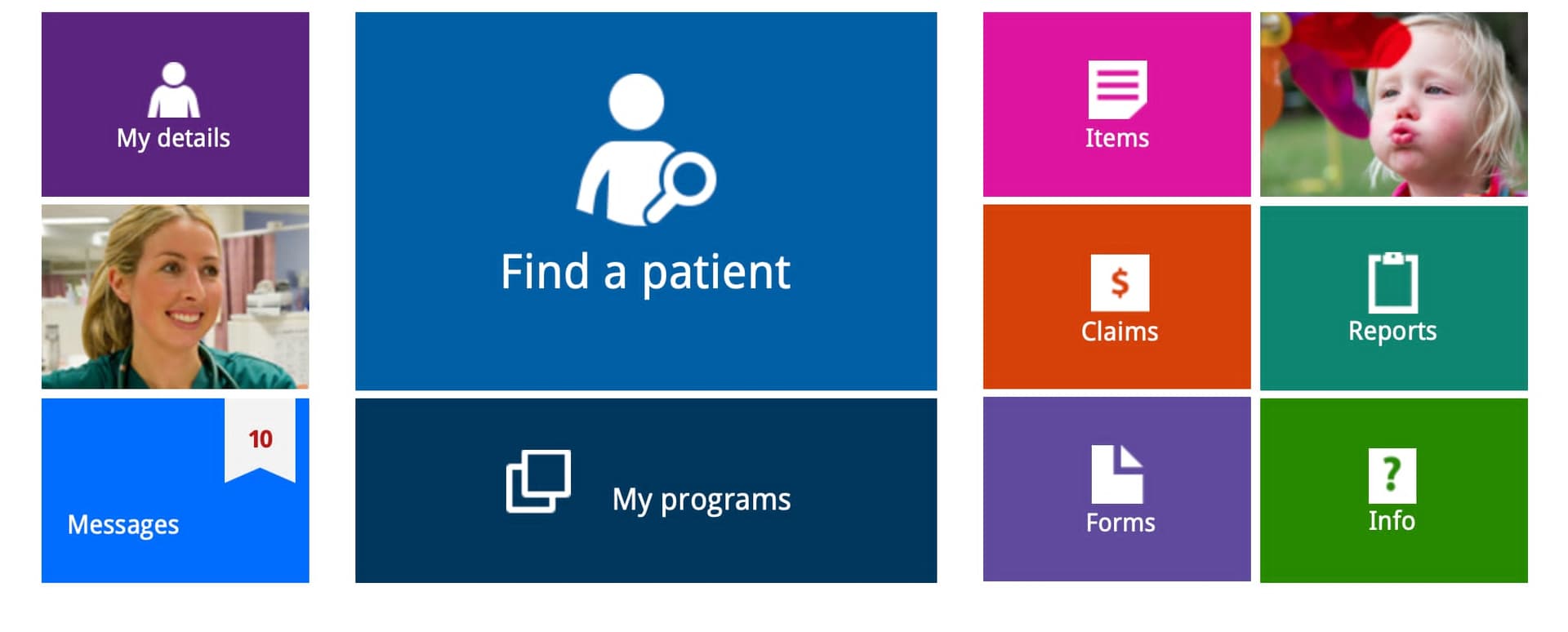
Enter My Details
Select My details from the main HPOS dashboard.
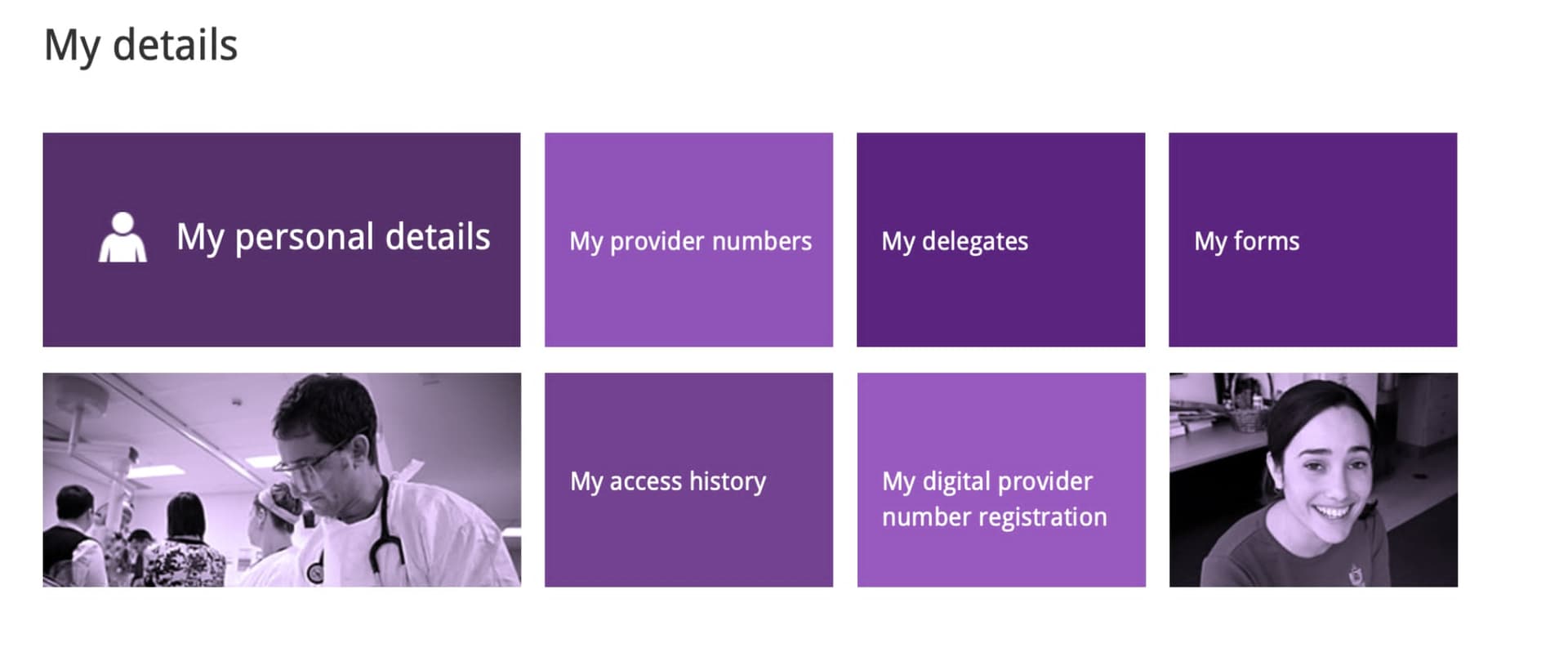
Navigate to Provider Numbers
Once in My details, locate and click on My provider numbers.
Click My Provider Numbers
Click on My provider numbers to view your existing provider numbers and add a new one.
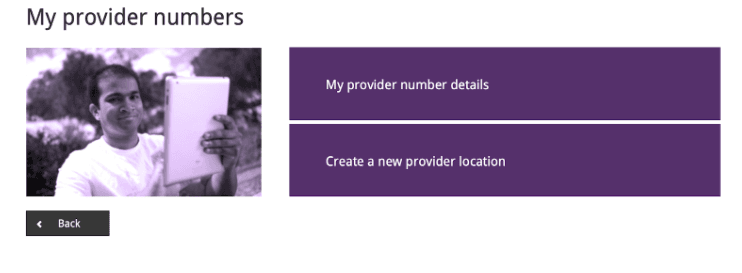
Create a New Provider Location
Select Create a new provider location to begin registering HeyDoc as a new practice location.
Completing the Application Forms
Refer to the instructions below to ensure the forms are filled out correctly for telehealth:
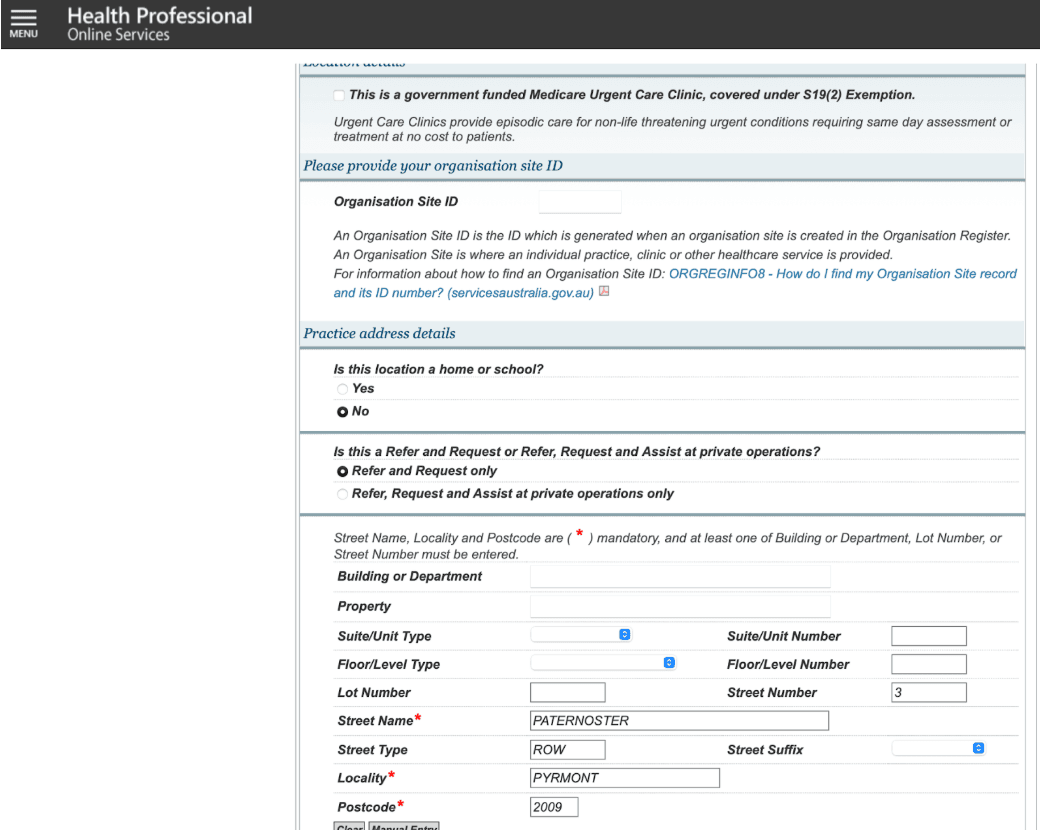
- • Practice Address Details: Ensure "Is this location a home or school?" is set to No.
- ○ Select Refer and Request only for the registration type.
- ○ Enter the HeyDoc address: 3 Paternoster Row, Pyrmont, NSW, 2009.
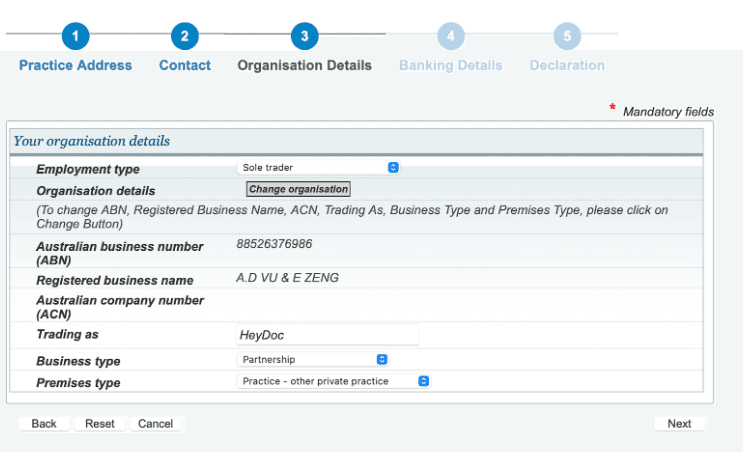
Organisation Details
- • Set Employment type to "Sole trader".
- ○ Select Partnership for Business type and Practice - other private practice for Premises type.
- • Contact Details: Use your mobile number.
- • Start date: Use the date for when you are available to start seeing patients.
- • End date: Leave this field blank (or set to far in the future) to keep the location perpetually active at HeyDoc.
- • Banking Details: Select No when asked if you will be claiming for services provided at this location (as HeyDoc manages billing).
Important
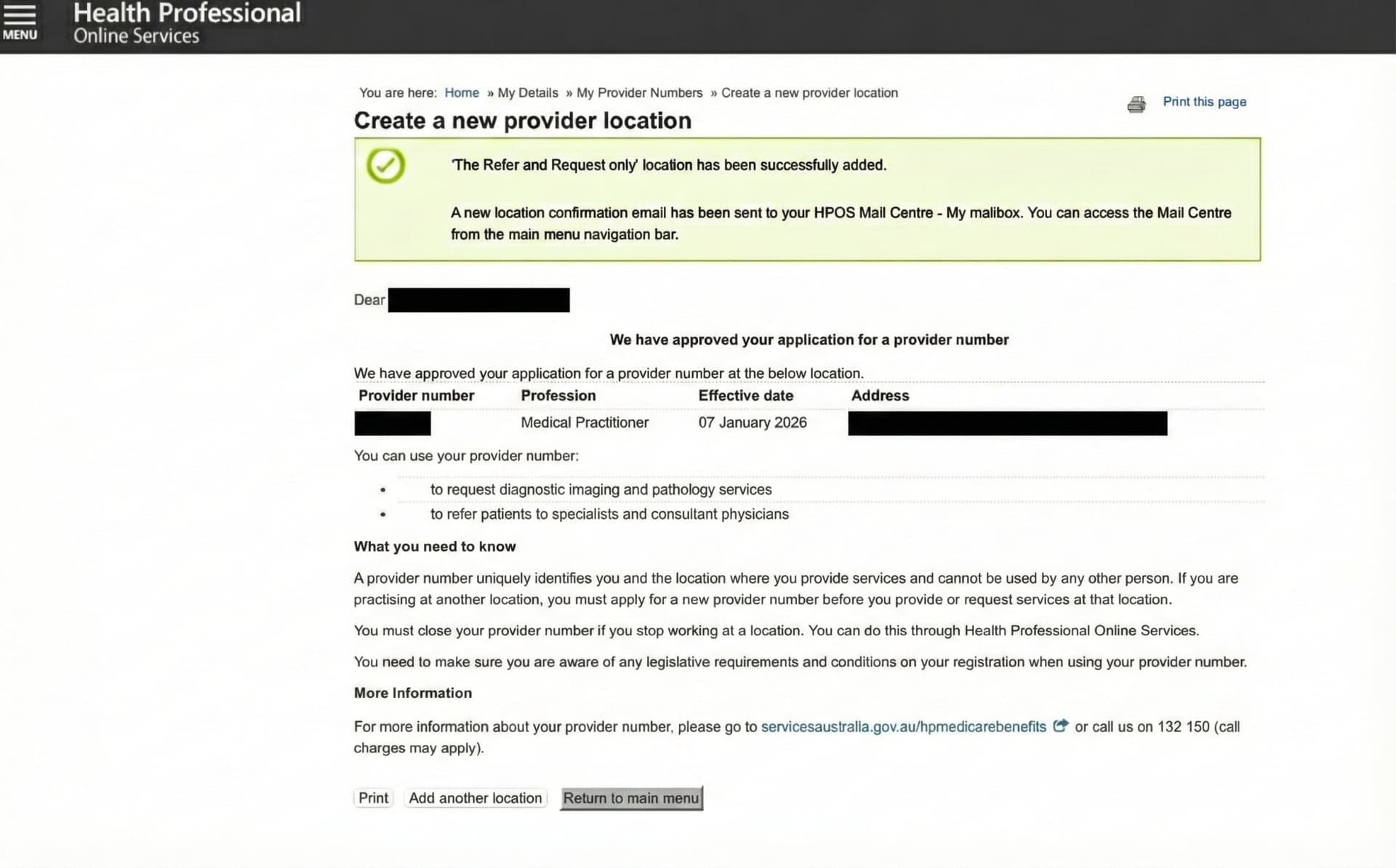
Upon successful submission, your new provider number should be generated immediately on the final confirmation screen. Take a full-screen screenshot of this page, ensuring the new provider number, the browser URL, and the current date/time are all visible.
Finalizing Your Onboarding
To activate your profile and begin seeing patients, complete the following:
- 1
Notify HeyDoc
Log into your HeyDoc Doctor's portal and update your profile with your new provider number
- 2
Complete Onboarding
Finish your credential verification, upload required documents, and platform access will be granted
Support Contacts
- • Technical Issues (PRODA): Call 1800 700 199
- • HeyDoc Questions: Reply directly to your onboarding email